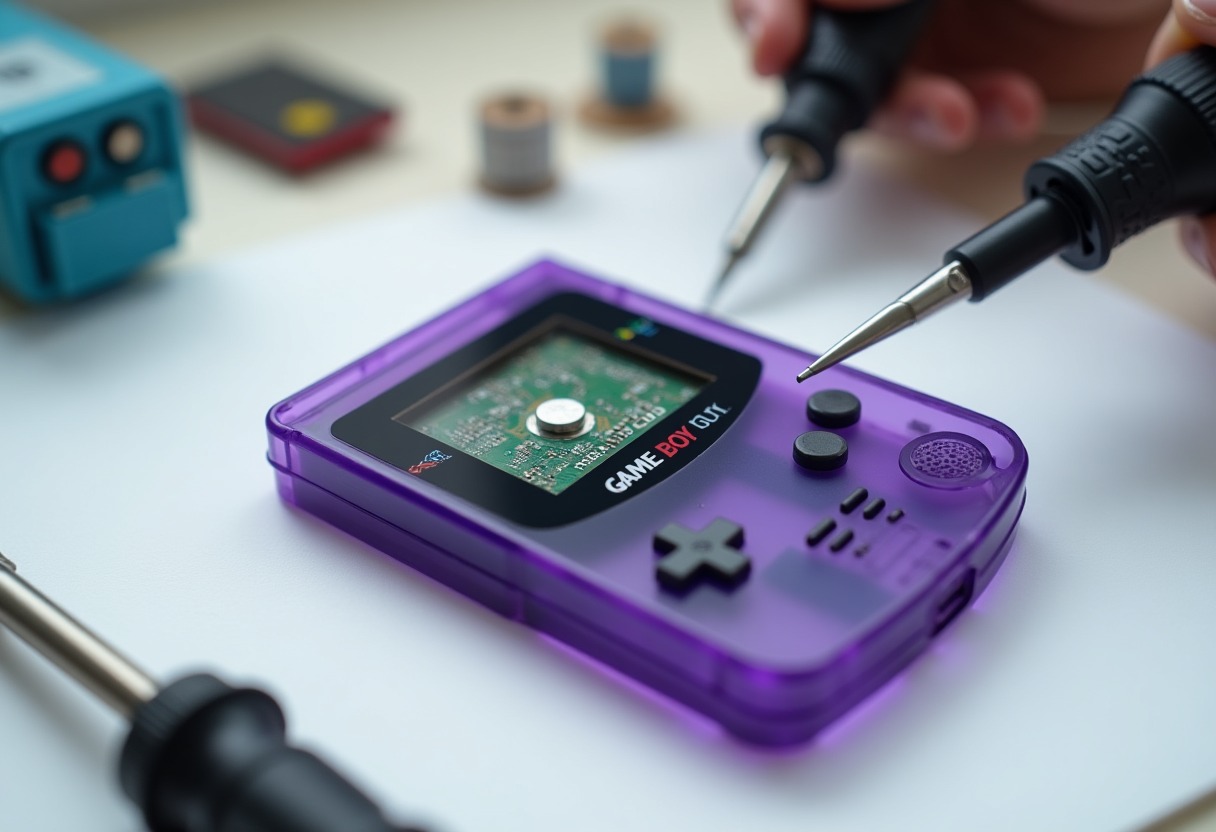
Your Pokémon Crystal cartridge just lost 250 hours of gameplay because the CR2025 battery inside finally gave up after 25 years. The internal battery that maintains SRAM save data in Game Boy Color cartridges has a typical lifespan of 15-25 years, and most original carts manufactured between 1998-2003 are now in critical condition or already dead.
Why Game Boy Color Cartridges Need Battery Replacement
Game Boy Color cartridges use volatile SRAM (Static Random Access Memory) to store save data, which requires constant power from a coin cell battery to maintain that data when the game isn't powered by the console. When that battery dies, your save file vanishes immediately — unlike modern flash memory that retains data without power. According to Wikipedia's article on Game Boy hardware, the original Game Boy and Game Boy Color both relied on this battery-backed save system, making preservation of these games a time-sensitive concern for collectors.
Not every GBC game has a battery. Simple titles like Tetris DX use password systems or no save feature at all. The games that absolutely need working batteries are RPGs (Pokémon Gold/Silver/Crystal, Dragon Warrior Monsters, Mario Golf/Tennis), most first-party Nintendo releases, and any title with a real-time clock feature. Pokémon Crystal and Gold/Silver are particularly vulnerable because they use the battery for both save data AND the clock function that tracks in-game time events.
The CR2025 battery provides approximately 3 volts when new, but SRAM only needs about 2 volts minimum to maintain data. This means you often have a grace period where the battery is technically "dying" but still functional — voltage drops slowly over months or years rather than dying instantly. The problem: you won't know your battery is in that danger zone until you test it or lose your save.
Testing voltage before replacement matters for cartridge value. If you're following principles from our Complete CIB Retro Game Condition Grading Guide, a working original battery adds authenticity value, while a professionally replaced battery maintains functionality but technically makes the cart "restored." High-grade collectors care about this distinction.
What You Need for Game Boy Color Battery Replacement
The right tools make this repair straightforward instead of destructive. Game Boy Color cartridges use proprietary 3.8mm gamebit screws that require a specific security bit — standard screwdrivers won't work and will strip the screw head. You'll need a → Shop gamebit screwdriver 3.8mm on Amazon to open the cart without damage.
For the actual battery replacement, you have two approaches: tabbed batteries that you can solder directly to the existing contacts (easier, cleaner), or standard CR2025 batteries where you solder metal tabs yourself (cheaper, requires more skill). Tabbed → Shop CR2025 battery tabs on Amazon eliminate the risk of directly heating the battery cell during soldering, which can damage or rupture untabbed batteries.
Your soldering setup determines success rate. A temperature-controlled → Shop soldering iron electronics on Amazon set to 650-700°F works best — too hot and you'll lift PCB pads, too cold and you'll create weak joints that fail within months. Add → Shop desoldering wick braid on Amazon for removing the old battery cleanly, and a → Shop flux pen electronics on Amazon to ensure solid connections on the often-corroded original contacts.
Beyond the core tools, you need isopropyl alcohol (91% or higher) to clean flux residue, a multimeter to test battery voltage before and after replacement, and patience. Rushing this repair destroys more cartridges than any other factor — one slip with the soldering iron can obliterate traces on the PCB that are impossible to repair without microsoldering skills.
Game Boy Color Cartridge Battery Types and Specifications
| Battery Type | Typical Games | Voltage When New | Expected Lifespan | Replacement Difficulty | |--------------|---------------|------------------|-------------------|------------------------| | CR2025 (clock + save) | Pokémon Gold/Silver/Crystal | 3.0V | 15-20 years | Moderate — two points to solder | | CR2025 (save only) | Mario Golf, Dragon Warrior III | 3.0V | 20-25 years | Easy — two points to solder | | CR1616 (save only) | Rare variants, later releases | 3.0V | 15-18 years | Easy — smaller form factor, same technique | | CR2032 (uncommon GBC) | Some third-party carts | 3.0V | 25-30 years | Easy — thicker battery, more clearance issues |
The CR2025 dominates Game Boy Color battery replacement jobs because Nintendo standardized on this size for most first-party releases. The key difference is whether the battery serves just the save function or both save and real-time clock — the latter drains faster because the clock circuit constantly draws power even when the game is off.
Pokémon games with clock functions (Gold, Silver, Crystal) show the first signs of battery death through clock-related glitches: berries stop growing, time-based events freeze, or the clock resets to midnight every time you boot. The save function might still work at this stage, but the battery is clearly dying. Games without clock features simply lose saves with no warning — you power up one day and your file is gone.
Third-party and late-era releases occasionally used CR1616 batteries, which are thinner and slightly harder to find with pre-welded tabs. These games function identically but require slightly different battery sourcing. Check your specific cart before ordering replacement batteries — opening it first reveals exactly what you need.
Step-by-Step GBC Cartridge Battery Replacement Process
Open the cartridge by positioning it label-side down and removing the gamebit screw. Apply firm, steady pressure while turning — these screws are often corroded and strip easily if you cam out. Once open, photograph the PCB orientation and battery position before touching anything. This documentation saves you if you forget which way the battery was oriented during reassembly.
Test the existing battery voltage with your multimeter. Touch the red probe to the positive side (marked with +) and black probe to the exposed negative tab or housing. Anything below 2.5V indicates a dying battery that needs immediate replacement. Below 2.0V means your save is likely already corrupted or will fail within days. This voltage reading tells you how urgent the repair is.
Remove the old battery by heating each solder point for 2-3 seconds and gently lifting with tweezers — don't yank or you'll rip the PCB pad. Use desoldering wick to clean away old solder from the contacts, leaving a clean, flat surface. Apply fresh flux to those contacts. This prep work determines whether your new battery connection will last another 20 years or fail within months.
Position your new tabbed CR2025 with the positive side matching the original orientation (the PCB is almost always marked with + and - symbols). Tack one tab first, check alignment, then solder the second. Your iron should contact each joint for no more than 3 seconds — any longer risks heat damage to the SRAM chip or battery itself. The joints should look shiny and smooth, not dull and grainy.
Test immediately before reassembly. Power the cartridge in your Game Boy Color, create a save, power off for 5 minutes, then power back on. If the save persists, the battery is functional. This test catches 95% of bad connections before you seal the cart. Clean any flux residue with isopropyl alcohol, let it dry completely, and reassemble with the gamebit screw — snug but not overtight.
Preserving Saves During Battery Replacement
The myth that you can hot-swap batteries while the cartridge is powered in a Game Boy to maintain saves is technically true but practically risky. The SRAM retains data for roughly 10-30 seconds after power loss, giving you a window to swap batteries if you're incredibly fast and skilled. Most collectors attempting this method end up with corrupted saves because they fumble the swap or the contacts arc during the exchange.
A safer preservation method uses a Game Boy cartridge reader/writer device that dumps your save to a computer file before you start any physical work. Devices like the GBxCart RW or similar USB adapters let you backup .sav files, replace the battery safely, then restore the save file afterward. This approach guarantees save preservation but requires additional hardware investment — typically $40-70 for a reliable reader.
For collectors maintaining games covered in our Best Game Boy Games To Collect 2026 guide, professional services exist that will replace batteries and preserve saves simultaneously. These services charge $15-30 per cart but eliminate all risk. Worth it for high-value titles like Pokémon Crystal where a preserved original save file from 2001 adds collector interest and authenticity.
The reality: if you're learning battery replacement on a common $10 cart like Pokémon Red, accept that the save will probably die and treat it as practice. Once you've done 5-10 successful replacements, then attempt the hot-swap method or invest in backup hardware for truly irreplaceable saves. Skills from this work translate directly to the techniques covered in our NES Cartridge Shell Replacement Guide — same soldering principles, different form factor.
Troubleshooting Common Battery Replacement Problems
Save disappears within hours after replacement: your solder joints are cold or you have a poor connection. Reheat each joint with fresh flux until you see the solder flow smoothly and wet both the tab and PCB pad. Cold solder joints look dull and grainy rather than shiny and smooth — they're the number one cause of failed battery replacements.
Cartridge won't boot after battery replacement: check for solder bridges between adjacent pins on the SRAM chip or MBC (Memory Bank Controller). These chips sit right next to the battery contacts and accidental solder splatter creates shorts. Use desoldering wick to remove bridges, or carefully scrape between pins with a blade under magnification.
Battery rattles inside the cart after reassembly: you didn't fully seat the tabs against the PCB during soldering, leaving the battery loose. This eventually breaks the solder joints through mechanical stress. Proper technique means the battery sits flush against the board with no movement — press it flat while tacking the first joint.
Clock function still doesn't work after battery replacement in Pokémon Gold/Silver/Crystal: the clock circuit itself may be damaged from previous battery leakage or corrosion. Clean the surrounding area thoroughly with isopropyl alcohol and a soft brush. If the problem persists, the MBC3 chip that manages the clock may be partially failed — a repair beyond basic battery replacement that requires chip-level diagnosis.
FAQ
How long does a new CR2025 battery last in a Game Boy Color cartridge? A quality CR2025 should maintain save data for 15-25 years depending on whether the game uses a real-time clock function. Pokémon Gold/Silver/Crystal drain faster (15-20 years) than games with save-only functions like Dragon Warrior Monsters (20-25 years). Buy name-brand batteries like Panasonic or Energizer rather than no-name bulk batteries for maximum lifespan.
Can I replace a Game Boy Color battery without soldering? No functional method exists that doesn't involve soldering. Some sellers offer battery holders that snap in, but these create unreliable connections that fail frequently and damage cartridge value for collectors. Proper tabbed battery replacement with soldering is the only method that provides long-term reliability comparable to the original factory installation.
Which Pokémon games need battery replacement? All Generation I and II Pokémon games require batteries: Red, Blue, Yellow (original Game Boy), Gold, Silver, and Crystal (Game Boy Color). Generation III games (Ruby, Sapphire, Emerald, FireRed, LeafGreen) use flash memory and only need batteries for the real-time clock — the save data persists even with dead batteries. If you care about Pokémon card collecting too, check out the grading guide at TheTCGSlayer.
Does battery replacement affect cartridge authentication or value? Professional battery replacement maintains functionality without significantly impacting value for players and most collectors. However, carts with original working batteries command premium prices among high-grade collectors who prioritize completely original components. A visible battery replacement (especially with different tab orientation or sloppy soldering) can reduce collector value by 10-20% compared to an untouched cart, but a dead battery reduces functional value to zero.
What voltage indicates a dying Game Boy Color cartridge battery? Test with a multimeter — anything below 2.5V means the battery is in the danger zone and should be replaced soon. Below 2.0V indicates imminent failure where save data could vanish at any moment. Fresh CR2025 batteries measure 3.0-3.2V, so anything below 2.8V suggests the battery is past its prime even if still functional.
Conclusion
Replace your Game Boy Color cartridge batteries now, while your saves still exist and the skills required are well-documented — waiting another five years means losing irreplaceable gaming history to a 30-year-old coin cell.
Some links on this page are affiliate links. We may earn a small commission if you purchase through them, at no extra cost to you.
As an Amazon Associate we earn from qualifying purchases. This article contains affiliate links; if you buy through them we may earn a small commission at no additional cost to you.