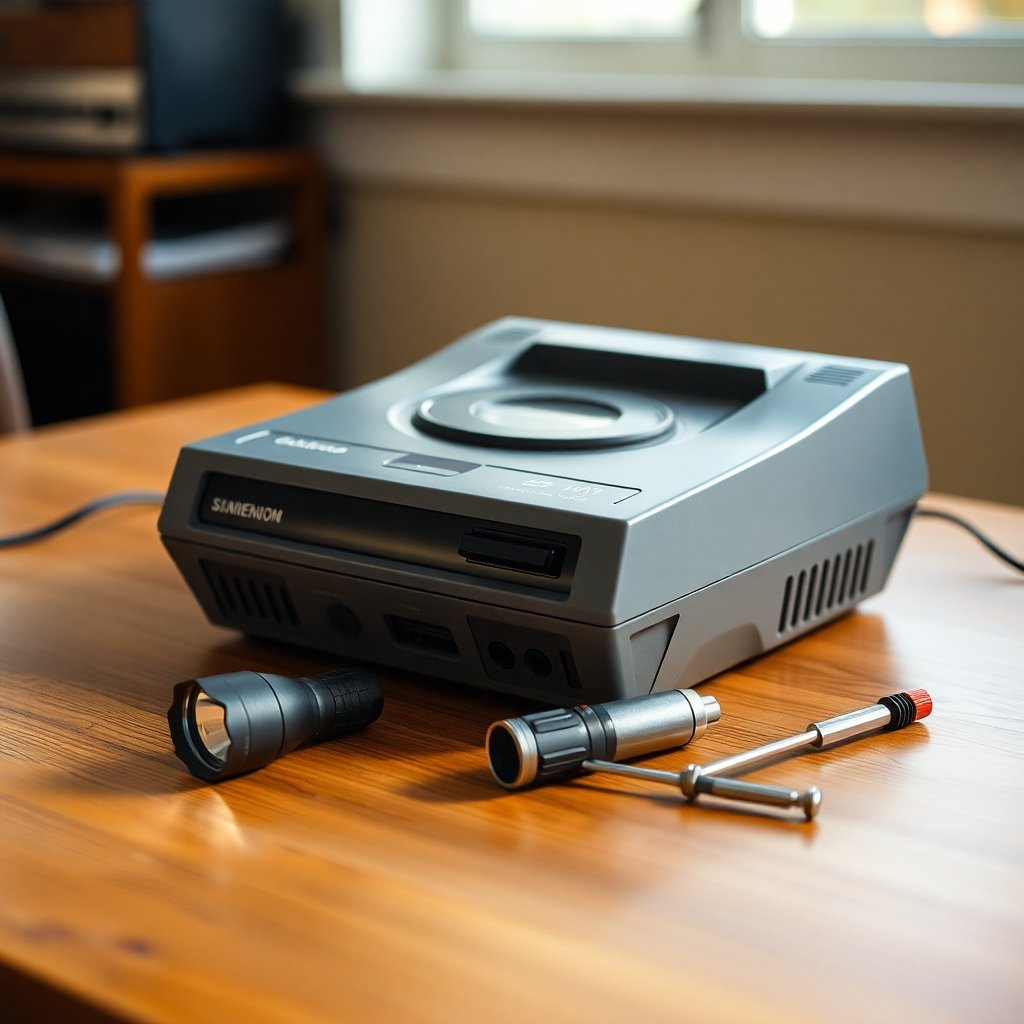
November is when the used console market wakes up. Parents start hunting for a "real" Super Nintendo for a kid who loves the Switch Online library, collectors clear shelf space before the holidays, and every local marketplace fills with listings that say "works great, just been in the closet." Some of those listings are honest gems. Some are a console that has not powered on since 2004 and a seller who simply does not know.
The difference between a fair deal and a regret usually comes down to ten minutes of inspection. This guide is the checklist we actually use when looking at used hardware in person, plus the questions to ask when you cannot test before buying.
Affiliate disclosure: As an Amazon Associate we earn from qualifying purchases. Some links below are affiliate links. They never change what we recommend or what you pay.
Why Used Consoles Need a Real Inspection
Retro hardware is now between 25 and 45 years old. Plastics yellow and become brittle, electrolytic capacitors dry out, contacts oxidize, and power supplies that were never designed to last four decades start to drift. Most consoles from the cartridge era are remarkably durable, but "durable" is not the same as "untouched by time."
Prices have also climbed. A clean, boxed SNES or N64 can cost several times what it did a decade ago, which means a hidden fault is no longer a minor annoyance. A failed power regulator or a worn cartridge slot can turn a good price into an expensive project. Knowing how to inspect a unit protects your wallet and gives you solid ground to negotiate on.
Before You Meet: Questions to Ask the Seller
Has it been tested recently, and with what? "It worked last time I used it" can mean last week or last decade. Ask whether they powered it on, which game they tried, and what TV they used.
Is the power supply original? Many consoles in the wild come with mismatched or questionable third-party adapters. An incorrect voltage or polarity can damage a console, so you want to know what is in the bundle.
Can you test it in person? A seller who refuses any testing on a pricey console is a signal to adjust your offer, not necessarily a dealbreaker, but price it as "untested."
Has it ever been opened or modded? Region mods, RGB mods, and recaps are not bad, and can add value when done well. Sloppy mods are a different story. You want to know before you see the screws.
The Exterior Inspection
Screws and Seams
Look at every screw. Nintendo consoles use security screws (3.8mm and 4.5mm gamebit), and stripped or mismatched screws tell you someone has been inside. That is not automatically bad, but it should prompt questions. Seams should sit flush; a gap along a shell seam can mean a missing screw, a cracked post, or a careless reassembly.
Plastic Condition
Yellowing is common on SNES units and early Game Boys because of the flame retardant in the plastic. It is cosmetic and affects value, not function. Cracks near the cartridge slot, power switch, or screw posts matter more because they can spread. If yellowing bothers you, our guide to retro console plastic restoration covers what is realistic to fix at home.
Serial Numbers and Labels
Check that the bottom label is present and readable. Matching serial numbers on the console and box (for boxed units) add collector value. A missing label is a small value hit; a label that looks reprinted is a bigger question mark.
Ports and Connectors
Shine a flashlight into every controller port, the cartridge slot, the AV output, and the power jack. You are looking for bent pins, corrosion (green or white crust), and debris. Bent pins in a controller port are often fixable, but they are a fair reason to negotiate.
The Power-On Test
If the seller allows testing, bring your own known-good game and a known-good controller when possible. That removes two variables immediately.
Power light and switch feel. The switch should click cleanly. A crunchy or loose switch suggests wear.
Boot from cold. Ask that the console be off before you arrive. Some faults, especially failing capacitors, show up more on cold boots.
Let it run. Five to ten minutes of play is better than a ten-second boot screen. Intermittent faults often appear after the console warms up.
Reset button. Press reset a few times. It should reboot the game cleanly every time.
Console-Specific Checks
NES (Front Loader)
The classic blinking power light is usually a worn 72-pin connector or dirty contacts, not a dead console. It is cheap to fix, but it should still lower the price. If you see blinking, our NES blinking red light fix guide walks through the fix order. Also check that the cartridge tray pushes down and springs back up without sticking.
Super Nintendo
Look for consistent video with no rolling bars, faint vertical lines, or color shifts, which can hint at aging components or video circuitry issues. Test both controller ports. On the original model, check that the eject button pops a cartridge freely.
Nintendo 64
Test every controller port, since four-player games are a big part of the system's appeal. The analog sticks on bundled controllers are often worn out; that is normal, but factor it in. Also check for the Jumper Pak or Expansion Pak in the top slot. A missing Jumper Pak means the console will not display anything, and the Expansion Pak adds real value. The Nintendo 64 Wikipedia entry has a good overview of the hardware and accessory ecosystem if you are new to the platform.
Sega Genesis / Mega Drive
Identify the model and revision because they differ in audio quality and compatibility. Test the headphone jack on a Model 1 if present. Check that the cartridge slot spring flaps open and close without binding.
Original PlayStation
Disc drives are the weak point. Test with a disc you know is in good condition and watch for long load times, skipping music in cutscenes, or failure to read. Note the model number; some later revisions dropped features like parallel ports and RCA audio that some collectors care about.
Controllers and Accessories
Original controllers can be worth a meaningful chunk of a bundle. Check:
- Buttons: Each one should press and return without sticking.
- D-pad: Roll it in a full circle; it should not feel gritty or mushy.
- Cables: Look for fraying near the plug and the controller body, which are the most common break points.
- Third-party vs. first-party: Third-party pads are worth far less. Look at the logo and the build quality.
If you plan to use the console regularly, a modern wireless controller adapter is often a better daily driver than pushing worn originals.
→ Shop retro console controller adapters on Amazon
Video Output and Your TV
Many "broken" consoles are actually fine and the problem is the TV. Modern sets often handle composite and RF signals poorly, causing lag, blurry output, or no picture at all. If you are testing at the seller's house, use their CRT if they have one. At home, a quality upscaler or the correct cable makes a huge difference.
→ Shop retro console HDMI adapters on Amazon
Your Inspection Toolkit
A small kit makes in-person testing far easier and shows the seller you know what you are doing:
- A small LED flashlight for port and slot inspection
- A known-good cartridge or disc for the system
- A known-good controller
- Isopropyl alcohol wipes for a quick contact cleaning if a game will not boot
- A phone with a camera to photograph serials and any damage
If you buy and plan to clean the unit up properly at home, a gamebit screwdriver set is a must for Nintendo hardware.
→ Shop gamebit security screwdriver sets on Amazon
Red Flags That Should Lower the Price
Burnt smell or discoloration near the power jack. This can indicate past electrical trouble.
Rattling inside the shell. A loose screw is fixable, but it can also mean a broken internal post or a component that has come loose.
Heavy corrosion on ports. This suggests storage in a damp environment; other internal parts may be affected too.
"Untested, sold as is" on a premium price. Untested should be priced like it might not work. Do not pay working-condition prices for untested hardware.
Mismatched shell parts. A shell swapped from another unit is common in refurbished hardware. It matters if you are paying collector prices for originality.
Buying Online When You Cannot Test
For marketplace or auction listings, the checklist becomes a list of questions and photo requests:
- Ask for a photo of the console powered on and displaying a game.
- Ask for a short video showing gameplay with controller input.
- Request photos of the bottom label, screws, and all ports.
- Check return policies; buyer protection programs are worth using for expensive hardware.
- Read the seller's feedback history, focusing on electronics or gaming sales.
If you are also buying cartridges in the same deal, check them for authenticity too. Our Game Boy cartridge authentication guide covers the tells that also apply to many other cartridge systems.
How to Price What You Find
Use recent sold listings, not asking prices, as your benchmark. Then adjust based on what you found:
- Fully tested, clean, original power supply and controller: close to the top of the sold-price range.
- Works, but cosmetic issues (yellowing, scuffs): a modest discount.
- Works, but needs a common fix (72-pin connector, worn controller): subtract the cost of parts plus your time.
- Untested: price it as a parts or project unit, especially for higher-value systems.
Be fair and transparent when negotiating. Pointing out specific issues you found is far more effective than simply asking for a lower price.
The Bottom Line
A used retro console can be a great buy, especially this time of year when listings are plentiful. Ten minutes with a flashlight, a known-good game, and a calm checklist will tell you most of what you need to know. Buy the condition you can see, price the faults you can verify, and leave the "it probably works" listings for someone else unless the price reflects the risk.
As an Amazon Associate we earn from qualifying purchases. This article contains affiliate links; if you buy through them we may earn a small commission at no additional cost to you.